mailypoppins
Mail you write in Vim, with your AI agent at your side.
A keyboard-first mail client for macOS and Linux. The terminal app, the command line and the Mac app share one local mailbox, so a change in one shows in the others at once.
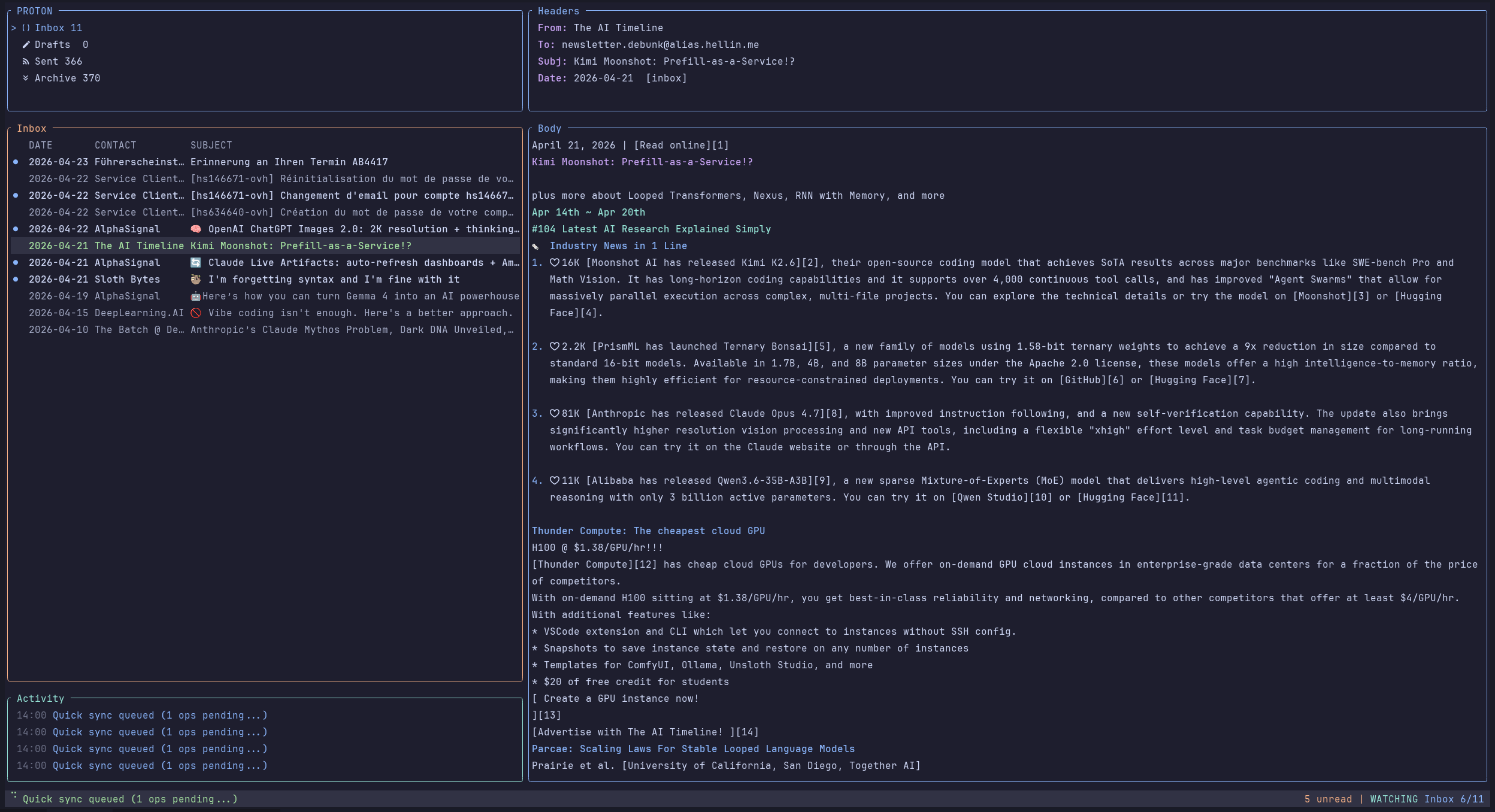
Mailboxes, list and reader in three panes, driven by Vim keys, over SSH as well.
Every action is a command, for your scripts and for your agent.
$ mp search --local 'from:ada invoice'
"from:ada invoice" in work (1 hit):
────────────────────────────────────────────────────────
[unread] mp://work/inbox/8c41f0e2@example.com → you@example.com
      Tue, 13 Oct 2026 09:12  Invoice 2026-114, site survey

$ mp reply mp://work/inbox/8c41f0e2@example.com
mp://work/drafts/3f9c27a1d4e8b605

$ mp edit mp://work/drafts/3f9c27a1d4e8b605  # opens in Neovim
$ mp list
Drafts:
────────────────────────────────────────────────────────
[draft] mp://work/drafts/3f9c27a1d4e8b605 → ada@example.com
      Re: Invoice 2026-114, site survey

$ mp mark-approved mp://work/drafts/3f9c27a1d4e8b605
$ mp send mp://work/drafts/3f9c27a1d4e8b605
Keyboard-first email client
Read, triage and write without reaching for the mouse.
-
Write in your editor
Every draft is a Markdown file that opens in Vim, Neovim or any modal editor. The Mac app runs Neovim inside its window.
-
Vim keys throughout
j and k, gg, / and a Space leader work the same in the terminal and in the Mac app.
-
Local and offline
Mail from any IMAP provider or Microsoft 365 lands in a local store you can search without a connection.
Built for efficient human-AI collaboration
Your agent works with the same commands and files you do, on your Mac or on a Linux server.
-
Context on demand
It searches your mail for a contact or the history of a thread.
-
A second pair of eyes
It proofreads and reviews your drafts, or writes a first reply when you ask.
-
Nothing slips
It tells you what you missed and what still waits for your answer.
A draft leaves only once you mark it approved.
Get started
Three steps from download to your inbox.
-
Install
-
Add an account
The Mac app asks for one on first launch. In a terminal, run
mp config init. Any IMAP provider works, and so does Microsoft 365. -
Open your mail
Open the Mac app, or run
mpfor the terminal app. The first sync starts on its own.
Read the full guide for signatures, drafts and sending.